
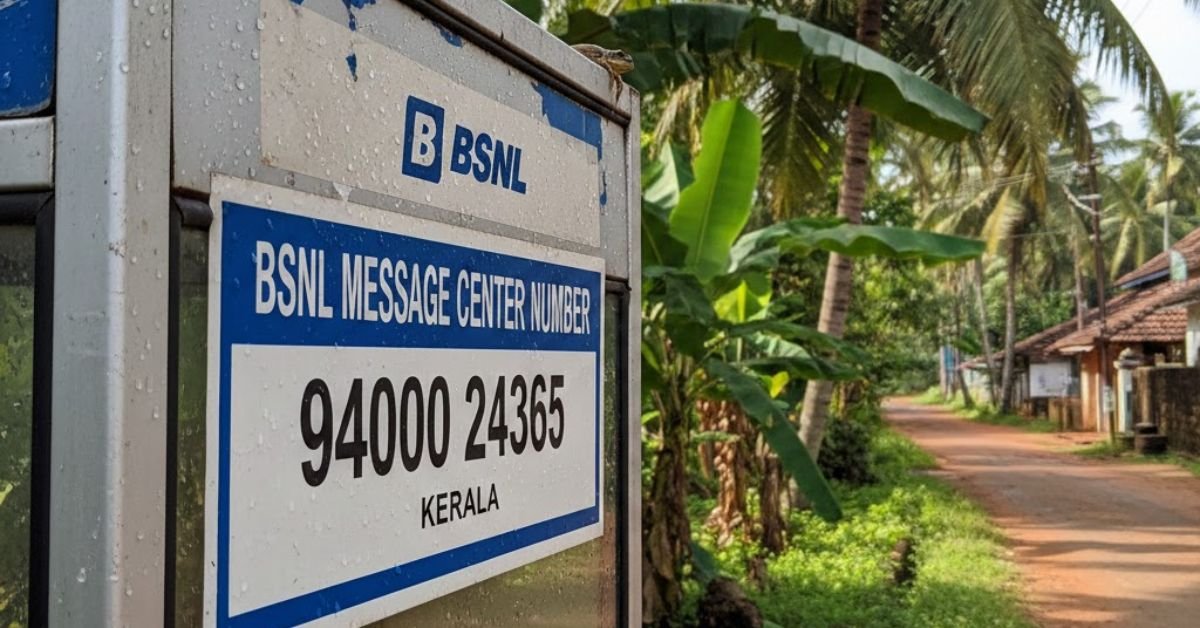
The BSNL message center number Kerala is the SMS service center number used in your mobile settings. It helps your phone send text messages through the BSNL network. Without the correct SMSC number, your messages may fail or stay pending.
Are your SMS messages not sending on your BSNL SIM in Kerala? This small setting can solve the problem in minutes. Many users face SMS errors because the message center number is missing or incorrect.
BSNL Kerala users can check or update the SMS center number in message settings. It is important for prepaid and postpaid connections. With the correct BSNL message center number Kerala, you can send and receive SMS smoothly without any issue.
What Is an SMS Center Number (SMSC)?
Think of the SMS Center Number as the post office for your text messages. When you type a message and hit send, your phone doesn’t deliver it directly to the other person. Instead, it sends that SMS to the Short Message Service Center. From there, the SMSC routes it to the recipient’s mobile network.
Without the correct SMS center number saved in your phone settings, your messages won’t go anywhere. They may stay stuck in the outbox or fail instantly. For example, if you change your SIM card and forget to update the SMSC number, your texts might stop working even though calls and mobile data work fine.
You can usually find the SMSC number in your message settings under “Message Center” or “Service Center.” It acts like a gateway between your device and the telecom network. In short, the SMSC ensures your text message reaches the right person quickly and safely.
The Working Process of SMSC
When you press send, your phone packages the SMS and sends it to the SMSC through your mobile network. The SMSC then stores the message for a short time. If the recipient’s phone is on and connected, the SMSC immediately forwards the message. If not, it keeps trying until delivery succeeds or the validity period expires.
Here’s how the flow usually works:
- You type and send an SMS.
- Your phone sends it to the SMSC.
- The SMSC checks the recipient’s network status.
- It delivers the message or stores it temporarily.
- You receive a delivery report if that feature is enabled.
In simple terms, the SMSC works like a smart traffic controller. It manages, stores, and forwards text messages across different mobile networks. Because of this system, you can send SMS messages even if the other person’s phone is switched off for a while.
BSNL SMS Center Number
- Set the correct BSNL SMS Center Number in your mobile settings and your text messages will send without delay or error.
- If your SMS is not sending on BSNL, check the message center number first and fix the network gateway instantly.
- A correct BSNL SMSC number keeps your prepaid and postpaid SMS service smooth and reliable.
- Update your BSNL message center number in Kerala and enjoy fast text message delivery every time.
- When your SMS fails, do not panic, just verify the BSNL SMS center number in your phone settings.
- The right SMS center number connects your mobile to the BSNL network and ensures seamless message routing.
- Small setting, big impact, your BSNL SMS center number controls your entire SMS service.
- Fix the BSNL SMSC number once and forget SMS sending problems forever.
- Your text message travels through the BSNL SMS center before reaching the receiver, so keep it accurate.
- For smooth SMS delivery reports and instant sending, always use the official BSNL message center number.
- When the network feels silent, your SMSC setting might be the missing link.
- Correct BSNL SMS center configuration improves message delivery speed and network reliability.
- Every successful SMS begins with the right BSNL message center number saved in your device.
- If you switch SIM or reset your phone, recheck the BSNL SMSC number to avoid message failure.
- Stay connected, stay updated, and let the proper BSNL SMS center number power your SMS service.
BSNL Message Center Number
- Your BSNL Message Center Number is the key setting that allows your SMS to move smoothly across the mobile network.
- If your text message is not sending on BSNL, check the message center number in your SMS settings first.
- A correct BSNL SMSC number ensures instant SMS delivery and strong network connectivity.
- Update your BSNL Message Center Number and restore seamless text message service within minutes.
- Every SMS you send passes through the BSNL message center before reaching the recipient.
- When SMS fails or stays pending, the message center number is often the hidden reason.
- Keep your BSNL SMS settings accurate to avoid message sending errors on prepaid or postpaid SIM.
- The right BSNL Message Center Number builds a direct bridge between your phone and the telecom network.
- Fix the SMSC number once and enjoy reliable SMS service without interruption.
- A simple check in message settings can solve most BSNL SMS delivery problems instantly.
- Stay connected with confidence by saving the official BSNL Message Center Number in your device.
- Strong communication begins with the correct SMS center configuration in your mobile.
- Whether you use Android or iPhone, verify the BSNL SMSC number for smooth text messaging.
- Even when the recipient phone is off, the BSNL message center stores and forwards your SMS safely.
- Set it right, trust the network, and let your BSNL Message Center Number power every text you send.
BSNL Message Centre Numbers for All States and Union Territories

- Find the correct BSNL Message Centre Number for your state and fix SMS sending issues in seconds.
- Every state has its own BSNL SMSC number, so always use the right one for smooth text message delivery.
- If your BSNL SMS is not sending, check the message centre number for your circle and update it instantly.
- From Kerala to Delhi, the correct BSNL Message Centre Number keeps your SMS service active and reliable.
- Save the official BSNL SMS centre number for your state and enjoy seamless network connectivity.
- A simple update in SMS settings can restore message delivery across all BSNL circles in India.
- Whether you use prepaid or postpaid, the right BSNL Message Centre Number ensures fast SMS routing.
- Each Union Territory has a specific SMSC number that connects your phone to the BSNL network gateway.
- Do not let a wrong message centre number block your communication, verify it for your telecom circle today.
- Correct BSNL SMS settings empower you to send text messages without delay or error.
- Your state specific BSNL Message Centre Number acts like a secure bridge for every SMS you send.
- When messages fail unexpectedly, the solution often lies in updating the BSNL SMSC number for your region.
- Keep your mobile settings accurate and let the BSNL message centre handle smooth SMS delivery nationwide.
- Reliable communication begins with the correct BSNL Message Centre Number for your state or Union Territory.
- Stay connected across India by setting the proper BSNL SMS centre number and experience uninterrupted text messaging.
BSNL Message Center Number AP
- Use the correct BSNL Message Center Number AP to restore smooth SMS sending on your mobile network.
- If your BSNL SMS is not sending in Andhra Pradesh, check the message center number in your SMS settings.
- The right BSNL SMSC number AP ensures instant text message delivery without network errors.
- Update your BSNL Message Center Number AP and bring your prepaid or postpaid SMS service back to life.
- Every text message in Andhra Pradesh travels through the BSNL message center before reaching the receiver.
- A simple correction in the BSNL SMS center number AP can fix pending or failed SMS issues quickly.
- Stay connected across Andhra Pradesh by saving the official BSNL Message Center Number in your device.
- When communication feels blocked, your BSNL SMSC setting AP might be the missing link.
- Correct BSNL SMS settings in AP improve message delivery speed and network reliability.
- Do not let a wrong message center number stop your important SMS, verify the BSNL AP setting today.
- Strong connections start with the accurate BSNL Message Center Number AP in your mobile configuration.
- Whether you reset your phone or change SIM, always recheck the BSNL SMSC number AP.
- Your SMS deserves a clear path, set the correct BSNL Message Center Number AP for seamless routing.
- Fix it once and enjoy uninterrupted BSNL SMS service across Andhra Pradesh.
- Trust the network, update the setting, and let the BSNL Message Center Number AP power every text you send.
How to Change BSNL SMS Center Number

When your BSNL SMS is not sending, don’t panic. You can fix it in a minute by updating the BSNL SMS center number in your phone settings. Open your Messages app, go to Settings, then tap Text Messages or SMS. Look for a Message Center Number or SMSC. Enter the correct BSNL SMS center number for your telecom circle, save it, and restart your phone. That’s it. Just like correcting a wrong address on an envelope, you’re guiding your text messages to the right network gateway.
If you use Android, you may find the SMSC option inside Advanced settings. On some phones, you can dial 4636 and access phone information to edit the SMSC field directly. iPhone users usually get the correct BSNL message center number automatically from the SIM, so manual changes are rare. After updating, send a test SMS to check delivery. When the number is correct, your text messages move smoothly through the BSNL network without delay or error.
Change BSNL Message Centre Number via USSD Code
- Dial the official USSD code to change your BSNL Message Centre Number instantly and restore SMS service.
- If your BSNL SMS is not sending, use the USSD code method to update the message centre number quickly.
- A simple USSD command can fix SMS delivery errors without opening phone settings.
- Change your BSNL SMSC number via USSD and bring back smooth text message connectivity.
- When messages stay pending, try the BSNL USSD code to refresh your message centre number.
- No technical steps needed, just dial the BSNL USSD code and correct the SMS center setting.
- Update the BSNL Message Centre Number through USSD for fast and reliable SMS routing.
- One short code can reconnect your mobile to the correct BSNL SMS network gateway.
- Use the BSNL USSD service to fix message sending issues in seconds.
- Smart users choose the USSD method to update BSNL SMS settings without hassle.
- Let the USSD code reset your BSNL message centre number and clear SMS errors smoothly.
- Strong communication starts when you dial the right USSD code for BSNL SMS configuration.
- Change your BSNL SMSC number via USSD and enjoy uninterrupted text message service.
- When network glitches block your SMS, the BSNL USSD update method becomes your quick solution.
- Dial, update, relax, your BSNL Message Centre Number will handle every SMS with confidence.
May you like also: 135+ Universe Message for Me Today: Powerful Spiritual Guidance, Signs, and Divine Clarity
Change BSNL Message Centre Number via Message Settings
- Open your SMS settings and change the BSNL Message Centre Number to fix text message sending issues instantly.
- If your BSNL SMS is not sending, go to message settings and update the correct SMSC number.
- A quick edit in message settings can restore smooth BSNL SMS delivery within minutes.
- Take control of your mobile network by updating the BSNL message centre number manually.
- When SMS fails or stays pending, check the SMS center number inside your phone settings.
- Correct the BSNL SMSC number in message settings and enjoy reliable text message service again.
- One small change in SMS configuration can solve major BSNL message delivery errors.
- Navigate to your message app, update the BSNL message centre number, and reconnect with confidence.
- Manual SMSC update through message settings ensures accurate SMS routing on the BSNL network.
- Do not ignore SMS errors, adjust the BSNL Message Centre Number directly from your phone.
- Strong communication begins when your SMS center setting matches your BSNL telecom circle.
- Change the BSNL SMS center number in settings and watch your messages send without delay.
- A correct SMSC configuration improves network connectivity for prepaid and postpaid users.
- Refresh your BSNL message centre number through SMS settings and clear sending problems quickly.
- Update once, save confidently, and let your BSNL Message Centre Number handle every SMS smoothly.
BSNL SMS Not Working? Common Issues and Fixes
- If your BSNL SMS is not working, check the message center number first and fix the core setting quickly.
- Text messages failing on BSNL often point to a wrong SMSC number or outdated SMS settings.
- Restart your phone, refresh network connectivity, and test your BSNL SMS service again.
- Low balance or inactive prepaid plan can block outgoing SMS on the BSNL network.
- When SMS stays pending, verify the BSNL message centre number and mobile signal strength.
- Switch off flight mode and reconnect to restore proper SMS delivery on your BSNL SIM.
- Clear your message app cache if BSNL text messages are not sending smoothly.
- Weak network coverage in your telecom circle can delay BSNL SMS delivery reports.
- Update your mobile software to avoid compatibility issues with BSNL SMS service.
- Incorrect SMS settings after SIM change can stop BSNL messages from going through.
- Insert your BSNL SIM into another device to test whether the issue is phone related.
- Enable SMS permission for your messaging app to ensure proper text message routing.
- Contact BSNL customer care if network configuration problems continue after basic fixes.
- Simple troubleshooting steps can restore your BSNL SMS connectivity within minutes.
- Stay calm, check the right settings, and let your BSNL SMS service work smoothly again.
Why is My BSNL Mobile Number Not Receiving SMS?

If your BSNL mobile number is not receiving SMS, start with the basics. Check your network signal and make sure your SIM is active. Sometimes low balance, expired validity, or DND settings block incoming text messages. Also, confirm that your inbox is not full because a full storage space can stop new SMS from arriving.
Next, review your BSNL message center number in SMS settings. If the SMSC number is wrong or missing, the network may fail to route messages properly. Try restarting your phone or inserting the SIM into another device to test it. If the issue continues, contact BSNL customer care to refresh your SMS service from their side.
Why is My Message Center Changed to Another Number?
Your message center number may change automatically after a SIM replacement or network update. Sometimes when you switch regions or telecom circles, the BSNL network pushes a new SMSC configuration to your device. This update usually helps improve SMS routing based on your current location.
In some cases, a phone reset or software update can also modify the SMS center number. If you notice a different number in your SMS settings, verify it with the official BSNL message center number for your state. Correcting it ensures smooth text message delivery and prevents SMS sending errors.
SMS Center Numbers of Other Indian Telecom Operators
- Check the correct SMS center number for Airtel, Jio, Vi, or BSNL to ensure smooth text message delivery.
- Every Indian telecom operator uses a unique SMSC number to route your SMS across the mobile network.
- If your SMS is not sending, verify the message center number for your specific telecom circle.
- Airtel, Jio, and Vi users must update the right SMS center number for seamless SMS service.
- A correct SMSC number connects your phone to the operator network gateway instantly.
- When text messages fail, the issue often lies in the wrong SMS center configuration.
- Save the official SMS center number of your telecom operator to avoid SMS sending errors.
- Prepaid and postpaid users both need accurate SMS settings for reliable message delivery.
- Switching SIM cards may require updating the SMS center number in mobile settings.
- Strong communication begins with the right SMSC number in your device configuration.
- Telecom operators manage SMS routing through their dedicated message center systems.
- A small correction in SMS settings can restore instant message delivery on any Indian network.
- Verify your operator SMS center number after phone reset or software update.
- Smooth SMS connectivity depends on accurate network configuration and valid SMSC details.
- Stay connected across India by keeping your telecom operator SMS center number updated and correct.
Airtel Message Center Number
- Set the correct Airtel Message Center Number in your SMS settings and restore instant text message delivery.
- If your Airtel SMS is not sending, check the SMSC number first and fix the core network setting.
- The right Airtel message center number ensures smooth SMS routing across your telecom circle.
- Update your Airtel SMS center number and enjoy reliable prepaid or postpaid SMS service.
- Every text message you send travels through the Airtel SMSC before reaching the recipient.
- A wrong Airtel message center number can cause SMS failure or pending message errors.
- Verify the official Airtel SMSC number after SIM replacement or phone reset.
- Strong communication begins with accurate SMS settings in your Airtel mobile network.
- When SMS delivery reports stop coming, your Airtel message center configuration may need correction.
- One quick update in message settings can solve most Airtel SMS sending issues.
- Keep your Airtel SMSC number correct to maintain fast and secure text message service.
- Seamless connectivity depends on proper Airtel message center setup in your device.
- If you change telecom circles, recheck the Airtel SMS center number for your region.
- Clear SMS errors by saving the correct Airtel message center number in your phone.
- Stay connected, stay confident, and let the accurate Airtel SMSC number power every message you send.
Airtel Message Center Number Karnataka
- Use the correct Airtel Message Center Number Karnataka to restore smooth SMS sending on your mobile network.
- If your Airtel SMS is not sending in Karnataka, check the SMSC number in your message settings.
- The right Airtel message center number Karnataka ensures fast and reliable text message delivery.
- Update your Airtel SMS center number for Karnataka and fix pending SMS issues instantly.
- Every SMS in Karnataka passes through the Airtel SMSC before reaching the recipient.
- A wrong Airtel message center number Karnataka can cause message failure or delivery delay.
- Verify the official Airtel SMSC number Karnataka after SIM change or device reset.
- Strong network communication begins with accurate Airtel SMS settings for your Karnataka circle.
- If SMS delivery reports stop, recheck your Airtel message center configuration Karnataka.
- A quick correction in SMS settings can solve most Airtel SMS sending problems in Karnataka.
- Keep your Airtel SMS center number Karnataka updated for uninterrupted prepaid and postpaid service.
- Seamless SMS connectivity depends on proper Airtel message center setup in Karnataka.
- When network glitches block your SMS, confirm the Airtel SMSC number for Karnataka.
- Stay connected across Karnataka by saving the correct Airtel message center number in your device.
- Trust the network, update the setting, and let the Airtel Message Center Number Karnataka power every text you send.
Jio Message Center Number

- Set the correct Jio Message Center Number in your SMS settings and enjoy smooth text message delivery.
- If your Jio SMS is not sending, check the SMSC number and update it in your mobile configuration.
- The right Jio message center number ensures instant SMS routing across your telecom circle.
- Update your Jio SMS center number and fix message sending errors within minutes.
- Every text message you send through Jio passes securely via the SMSC gateway.
- A wrong Jio message center number can cause SMS failure or delayed delivery reports.
- After SIM replacement or phone reset, verify the official Jio SMSC number immediately.
- Strong communication begins with accurate Jio SMS settings saved in your device.
- If messages stay pending, your Jio message center configuration may need correction.
- A simple update in SMS settings can restore reliable Jio SMS service instantly.
- Keep your Jio SMS center number correct for seamless prepaid and postpaid messaging.
- Proper SMSC configuration improves network connectivity and text message performance.
- When network issues appear, confirm the Jio message center number for your region.
- Save the correct Jio SMS center number and avoid unexpected SMS sending problems.
- Stay connected with confidence and let the accurate Jio Message Center Number power every message you send.
see also: 100+ WhatsApp Wedding Invitation Messages
VI Message Center Number
- Set the correct VI Message Center Number in your SMS settings and restore smooth text message delivery.
- If your VI SMS is not sending, check the SMSC number in your mobile network configuration.
- The right VI message center number ensures instant SMS routing across your telecom circle.
- Update your VI SMS center number and fix pending or failed text messages quickly.
- Every SMS you send on VI passes through the SMSC gateway before reaching the receiver.
- A wrong VI message center number can block outgoing SMS and delay delivery reports.
- After SIM replacement or phone reset, always verify the official VI SMSC number.
- Strong communication begins with accurate VI SMS settings saved in your device.
- If messages remain unsent, your VI message center configuration may need correction.
- A quick update in SMS settings can restore reliable VI SMS service within minutes.
- Keep your VI SMS center number correct for seamless prepaid and postpaid messaging.
- Proper SMSC configuration improves network connectivity and ensures smooth text message flow.
- When SMS errors appear, confirm the VI message center number for your region.
- Save the correct VI SMSC number and prevent unexpected SMS sending problems.
- Stay connected with clarity and let the accurate VI Message Center Number power every message you send.
Vodafone Message Center Number
- Set the correct Vodafone Message Center Number in your SMS settings to restore smooth text message delivery.
- If your Vodafone SMS is not sending, check the SMSC number in your mobile network configuration.
- The right Vodafone message center number ensures fast and reliable SMS routing.
- Update your Vodafone SMS center number and fix pending or failed text messages instantly.
- Every SMS you send travels through the Vodafone SMSC gateway before reaching the recipient.
- A wrong Vodafone message center number can cause SMS errors and delivery delays.
- After changing your SIM or resetting your phone, verify the official Vodafone SMSC number.
- Strong communication begins with accurate Vodafone SMS settings saved in your device.
- If delivery reports stop, your Vodafone message center configuration may need correction.
- A quick update in SMS settings can restore reliable Vodafone SMS service.
- Keep your Vodafone SMS center number correct for seamless prepaid and postpaid messaging.
- Proper SMSC configuration improves network connectivity and smooth text message flow.
- When SMS issues appear, confirm the Vodafone message center number for your telecom circle.
- Save the correct Vodafone SMSC number and prevent unexpected message sending problems.
- Stay connected with confidence and let the accurate Vodafone Message Center Number power every SMS you send.
Idea Message Center Number
- Set the correct Idea Message Center Number in your SMS settings and enjoy smooth text message delivery.
- If your Idea SMS is not sending, check the SMSC number and update it in your mobile configuration.
- The right Idea message center number ensures fast and secure SMS routing across your telecom circle.
- Update your Idea SMS center number to fix pending or failed text messages instantly.
- Every SMS you send through Idea passes via the SMSC gateway before reaching the receiver.
- A wrong Idea message center number can cause message sending errors and delivery delays.
- After SIM replacement or device reset, verify the official Idea SMSC number.
- Strong communication begins with accurate Idea SMS settings saved in your phone.
- If delivery reports stop coming, your Idea message center configuration may need correction.
- A quick change in SMS settings can restore reliable Idea SMS service within minutes.
- Keep your Idea SMS center number correct for seamless prepaid and postpaid messaging.
- Proper SMSC configuration improves network connectivity and smooth text message flow.
- When SMS problems appear, confirm the Idea message center number for your region.
- Save the correct Idea SMSC number and prevent unexpected SMS sending issues.
- Stay connected with clarity and let the accurate Idea Message Center Number power every message you send.
How to Check Your Current SMS Center Number
If your SMS is not sending, the first thing you should do is check your current SMS center number. Open your Messages app and go to SMS settings or advanced settings. Look for a Message Center or SMSC number. There you will see the active SMS center number saved in your device. Make sure it matches the official number of your telecom operator such as BSNL, Airtel, Jio, VI, Vodafone, or Idea.
On some Android phones, you can also dial 4636 to access phone information and view the SMSC field directly. The iPhone usually configures the SMS center number automatically through the SIM card, so manual checking is limited. After verifying the number, send a test SMS to confirm proper message delivery. This quick check often solves most SMS sending problems without contacting customer support.
Why SMS Center Number is Important for Sending Messages
The SMS center number works like a delivery hub for your text messages. When you press send, your message first goes to the SMSC gateway of your telecom operator. From there, it gets routed to the recipient network. If the SMS center number is wrong, your message cannot find the correct path.
Without the correct SMSC configuration, you may face SMS failure, pending messages, or no delivery report. Even if your mobile signal is strong and your balance is active, a wrong message center number can block outgoing SMS. That is why keeping the correct SMS center number in your phone settings ensures smooth and reliable text messaging service.
Common Errors Related to Wrong SMSC Number
A wrong SMS center number can cause several common SMS errors. You might see message sending failed, unable to send SMS, or message not delivered notifications. Sometimes the SMS stays stuck in the outbox without any clear reason. These issues usually point to incorrect SMS settings.
Another common problem is missing delivery reports or delayed text message routing. After SIM replacement, phone reset, or software update, the SMSC number may change automatically. If you notice repeated SMS failure across BSNL, Airtel, Jio, VI, or other operators, verify the correct message center number for your telecom circle and update it immediately.

Rajesh Khanna writes birthday messages and wishes that people actually feel. With 5+ years of experience covering birthdays, thank you messages, and every special occasion in between, he knows exactly what makes words memorable. On Bliss Ledger, he helps readers find the perfect message for every celebration from heartfelt birthday wishes to sincere thank you notes that strengthen real relationships.